Best 1440p Gaming Monitors Under $300 in 2026
The AOC Q27G3XMN is the 1440p gaming monitor to buy under $300, the LG 27GR83Q-B is the 240Hz pick and the ASUS VG27AQ3A is the budget buy. Expert picks, pro...
As an Amazon Associate we earn from qualifying purchases made through our links — this doesn't affect our picks.
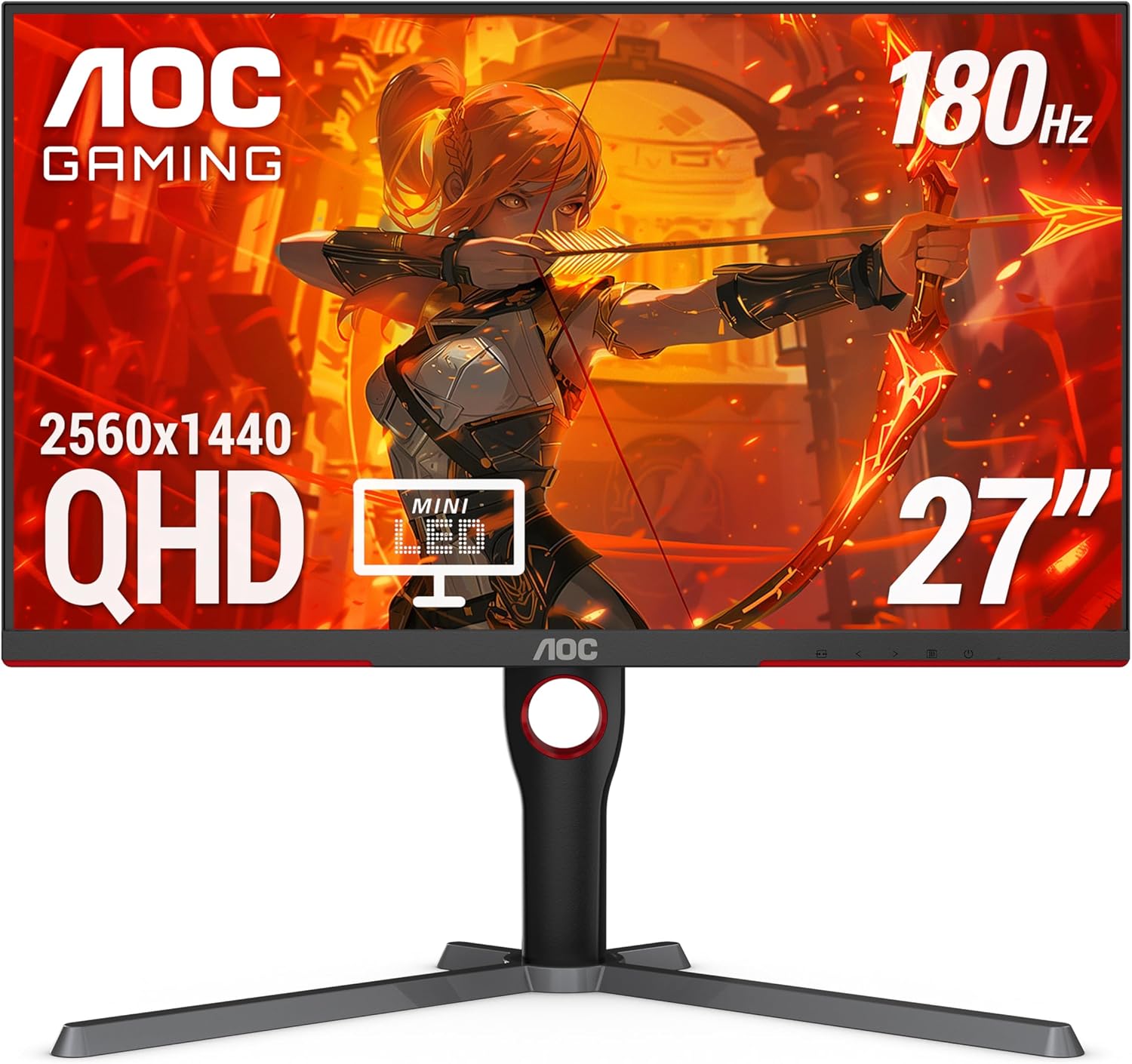
AOC Q27G3XMN
Best overall
Price as of Oct 19, 2026 — see current price on Amazon.
The AOC Q27G3XMN is the 1440p gaming monitor to buy under $300: a 336-zone Mini-LED backlight with DisplayHDR 1000 certification at $276.64 puts real HDR in a budget monitor. If you play fast shooters and your frame rate runs well past 180, get the LG UltraGear 27GR83Q-B at $289.90 instead, because 240Hz IPS beats VA for motion.
- Best overall: AOC Q27G3XMN: 336-zone Mini-LED, DisplayHDR 1000 and a 4000:1 VA panel, per DisplayNinja.
- Best for competitive shooters: LG UltraGear 27GR83Q-B: 240Hz IPS with two 48Gbps HDMI 2.1 ports, per DisplayNinja.
- Best on a budget: ASUS TUF Gaming VG27AQ3A: 180Hz Fast IPS and 130% sRGB for $179.00, per ASUS's spec sheet.
- Best 165Hz IPS with a full stand: LG UltraGear 27GR75Q-B: 110mm of height travel and pivot on a 99% sRGB IPS panel, per PC Monitors.
Prices as of October 19, 2026.
| Monitor | Panel | Refresh | Price | Best For | |
|---|---|---|---|---|---|
| AOC Q27G3XMN | Mini-LED VA | 180Hz | $276.64 | Best overall | Check Price |
| LG UltraGear 27GR83Q-B | IPS | 240Hz | $289.90 | Competitive | Check Price |
| ASUS TUF Gaming VG27AQ3A | Fast IPS | 180Hz | $179.00 | Budget | Check Price |
| LG UltraGear 27GR75Q-B | IPS | 165Hz | $274.99 | 165Hz with a full stand | Check Price |
AOC Q27G3XMN: Best Overall Under $300
This is the one to buy. The AOC Q27G3XMN is a 27-inch 1440p monitor with a Mini-LED backlight, 336 local dimming zones and VESA DisplayHDR 1000 certification, listed at $276.64. Nothing else under $300 gets close on HDR.
DisplayNinja's review lists roughly 1,300 nits in HDR and 450 nits in SDR. That's genuine HDR, not the "HDR Ready" label that usually means 400 nits of mediocrity. The VA panel's 4000:1 static contrast also helps the dimming zones, because blacks start deeper before the backlight does anything.
Color is wide too: DisplayNinja measured about 96% DCI-P3, and there's an sRGB emulation mode if you want accurate web colors instead of punchy ones. The 180Hz refresh handles competitive titles fine. You'll still see some dark-level ghosting in fast games, which DisplayNinja calls tolerable. Its advice is Strong overdrive at a fixed 180Hz, or Medium when VRR drops the frame rate.
The stand is the other surprise at this price. It gives 130mm of height travel, 30 degrees of swivel each way and a 90-degree pivot. Most budget monitors hand you tilt and call it done.
One real catch: the two HDMI 2.0 ports top out at 144Hz, so use the DisplayPort 1.4 input for full refresh on a PC. Blooming also shows around small bright objects on a black background, like a white cursor on a dark desktop.
AOC Q27G3XMN
Best for: Best overallPros
- 336-zone Mini-LED with DisplayHDR 1000
- 4000:1 VA contrast plus local dimming
- About 96% DCI-P3 with an sRGB mode
- Height, tilt, swivel and pivot adjustment
Cons
- VA dark-scene ghosting in very fast play
- HDMI 2.0 ports cap at 144Hz
- Blooming around small bright objects
Price as of Oct 19, 2026 — see current price on Amazon.
LG UltraGear 27GR83Q-B: Best for Competitive Shooters
If dark-scene ghosting bothers you and you play CS2, Valorant or Overwatch 2 at high frame rates, this is where to spend. It's a 27-inch 240Hz IPS panel with 1ms GtG, listed at $289.90, and it's the only 240Hz screen on this page.
DisplayNinja's review lists 95% DCI-P3 coverage, a 400-nit peak, two full 48Gbps HDMI 2.1 ports, DisplayPort 1.4 with DSC and a two-port USB 3.0 hub. The HDMI 2.1 ports matter if a console shares the desk. Use the default Fast overdrive mode at 240Hz, DisplayNinja says, because Faster adds visible overshoot.
IPS fixes the VA smearing problem. Motion behind moving targets stays clean in dark maps, which is exactly where the AOC struggles.
The trade-off is contrast. DisplayNinja puts it at about 1,000:1, so blacks look gray in a dark room, and the DisplayHDR 400 badge is the entry tier. The stand gives 110mm of height, tilt and pivot, but no swivel. At $13.26 more than the AOC, pick the LG for motion and the AOC for picture.
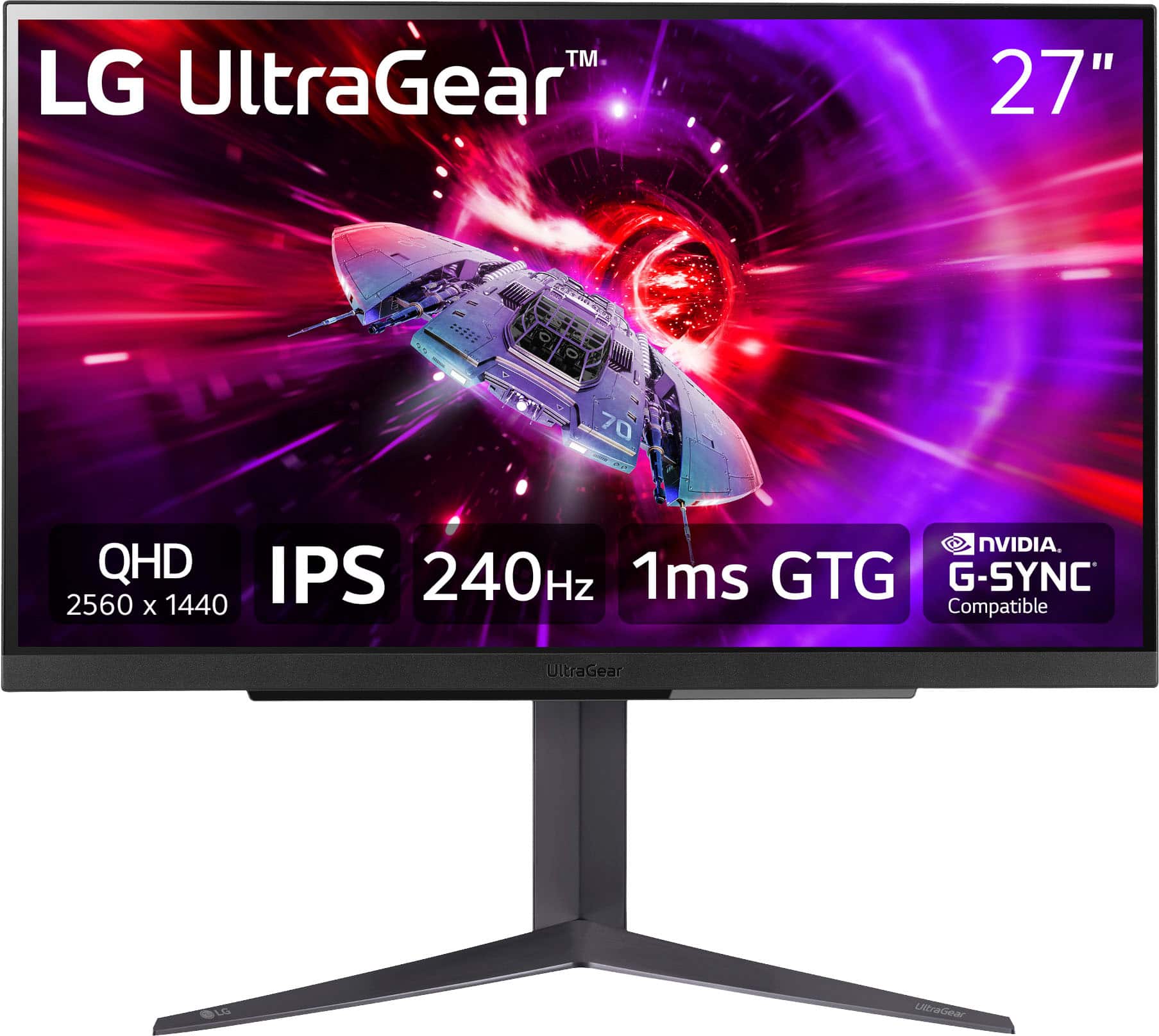
LG UltraGear 27GR83Q-B
Best for: CompetitivePros
- 240Hz IPS panel with 1ms GtG
- Two 48Gbps HDMI 2.1 ports and DisplayPort 1.4 with DSC
- 95% DCI-P3 coverage and a 400-nit peak
- USB 3.0 hub built in
Cons
- About 1,000:1 contrast, gray blacks in a dark room
- DisplayHDR 400 is entry-level HDR
- Stand does not swivel
Price as of Oct 19, 2026 — see current price on Amazon.
ASUS TUF Gaming VG27AQ3A: Best on a Budget
At $179.00 this is the cheapest good way into 1440p gaming on this page. ASUS's spec sheet lists a 27-inch Fast IPS panel at 180Hz with 1ms GtG, 130% sRGB coverage, ELMB Sync and HDR10 support.
ELMB Sync is the useful extra. It strobes the backlight while adaptive sync stays on, which sharpens motion in shooters if you can live with a slightly dimmer image.
Know what you're giving up. The stand tilts and swivels but has no height adjustment and no pivot, so plan on a VESA 100x100 arm if your desk sits low. Brightness is 250 nits typical with 1000:1 contrast, and HDR10 support here is a checkbox, not real HDR. Inputs are two HDMI 2.0 ports and one DisplayPort 1.4, plus two 2W speakers.
For a mid-range GPU and a mixed game library, it's enough monitor. It costs $97.64 less than the AOC.
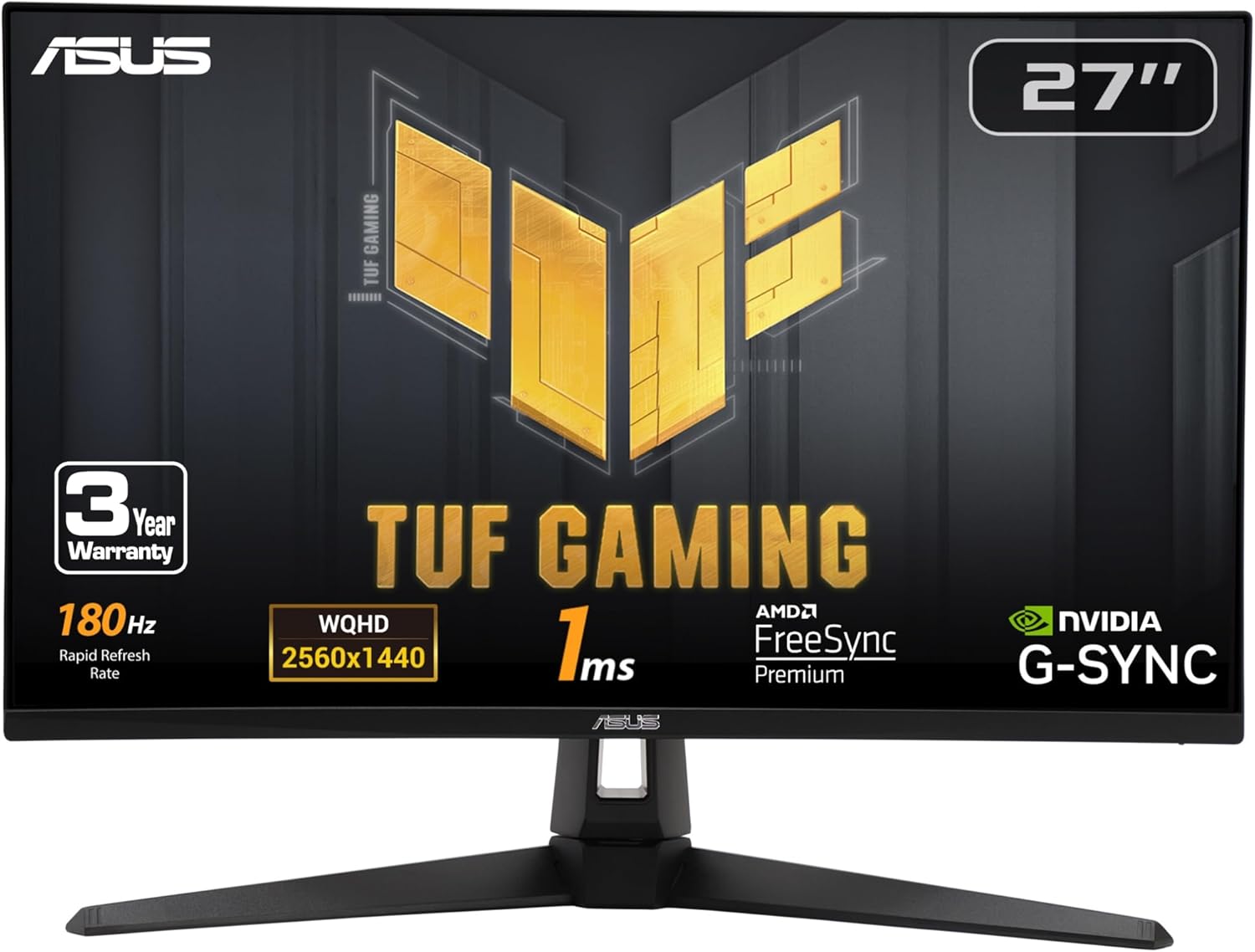
ASUS TUF Gaming VG27AQ3A
Best for: BudgetPros
- Cheapest pick here at 180Hz
- 130% sRGB color coverage
- ELMB Sync for clearer motion
- Built-in 2W speakers
Cons
- No height adjustment or pivot
- 250 nits typical brightness
- HDR10 support is not real HDR
Price as of Oct 19, 2026 — see current price on Amazon.
LG UltraGear 27GR75Q-B: Best 165Hz IPS With a Full Stand
The LG 27GR75Q-B is a 27-inch IPS panel at 1440p and 165Hz, listed at $274.99. PC Monitors lists 99% sRGB, 300 nits typical, 1000:1 static contrast and basic HDR10 support.
The reason to buy it is the stand. You get 110mm of height travel, tilt and a pivot into portrait, which the ASUS doesn't offer. It supports both FreeSync Premium and G-Sync Compatible, so it works cleanly with either GPU brand.
Be honest with yourself about the price, though. The 27GR83Q-B costs $14.91 more and doubles as a 240Hz screen with HDMI 2.1. So who should get this one? Someone on a GPU that won't clear 165 fps in their games anyway, who wants IPS and a real stand and would rather keep the difference. Everyone else should step up to the 27GR83Q-B.
Ports are DisplayPort 1.4 and two HDMI 2.0, with a headphone jack. There's no USB hub.
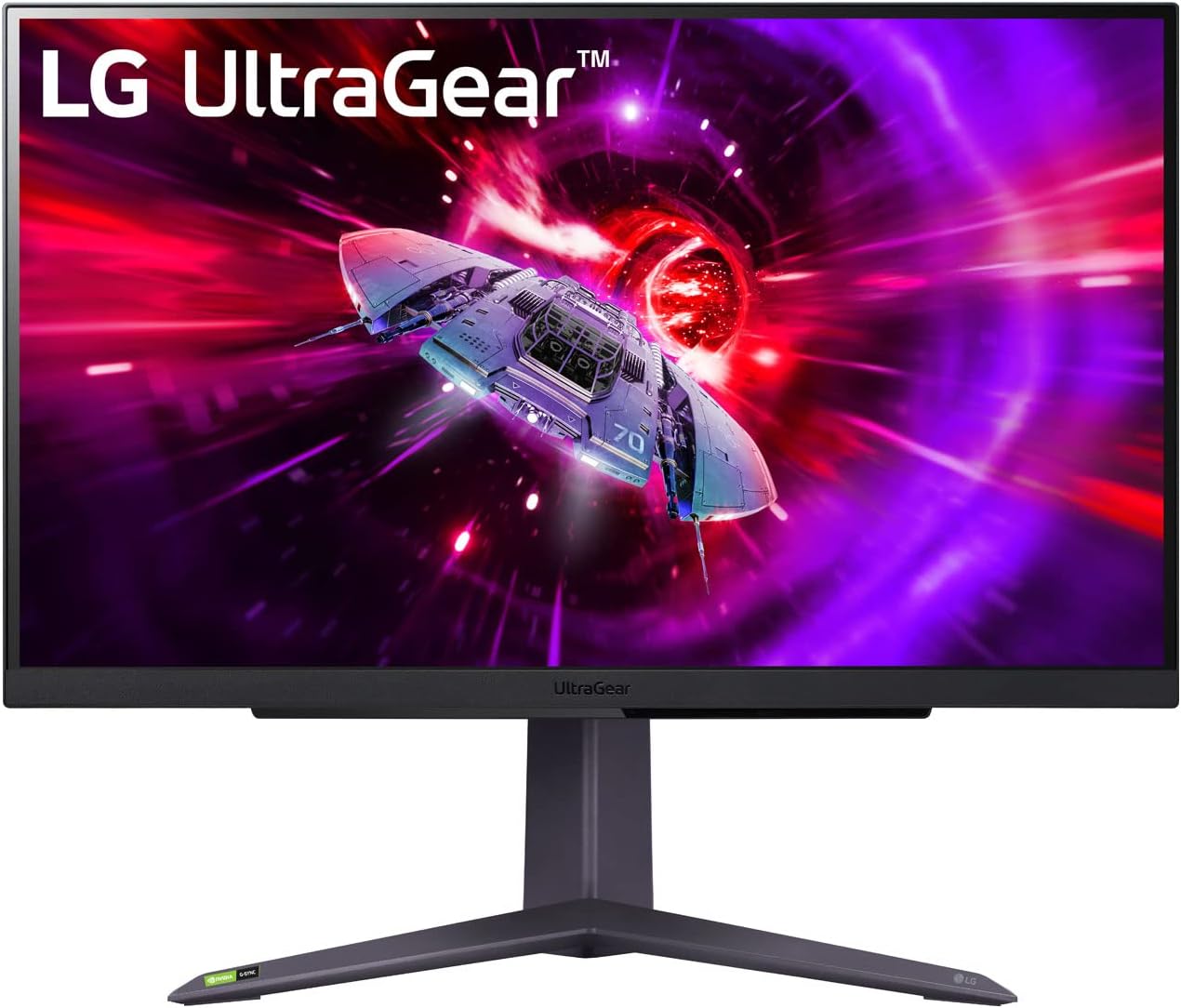
LG UltraGear 27GR75Q-B
Best for: 165Hz with a full standPros
- IPS panel with clean motion at 165Hz
- 99% sRGB for accurate standard color
- Height, tilt and pivot adjustment
- FreeSync Premium and G-Sync Compatible
Cons
- The 240Hz 27GR83Q-B costs only $14.91 more
- 1000:1 contrast, gray blacks in a dark room
- No USB hub, no swivel
Price as of Oct 19, 2026 — see current price on Amazon.
How to Pick the Right 1440p Monitor Under $300
Does panel type actually matter?
Short answer: yes, but only for specific use cases.
VA panels like the AOC have much better contrast, 4000:1 static on the Q27G3XMN versus about 1000:1 for the IPS screens here. That means deeper blacks in dark scenes, better HDR and a more cinematic look for single-player games. The downside is dark-level ghosting at fast speeds. It's most visible in games with fast movement in dark environments.
IPS panels (both LGs, the ASUS) avoid that smearing and look the same from any angle. Motion is cleaner at equivalent refresh rates. The trade-off is that blacks look grayer in dim rooms. If you game mostly in well-lit spaces or play competitive titles where clarity matters more than atmosphere, IPS is probably your pick.
165Hz, 180Hz or 240Hz: who needs which?
Refresh rate only pays off when your GPU delivers the frames. Hitting 240 fps in demanding AAA games at 1440p takes far more GPU than most buyers pair with a sub-$300 monitor.
Esports titles are the exception. CS2, Valorant and Overwatch 2 run at very high frame rates even on mid-range cards, and that's where the LG 27GR83Q-B's 240Hz makes sense. If you play a mix of competitive and story-driven games, 165Hz or 180Hz is plenty and the money saved is better spent elsewhere.
What about ultrawide?
The monitors in this guide are all 16:9 at 27 inches. Ultrawide panels (21:9, 34 inches) sit in a higher price tier and aren't what people mean when they say "best 1440p monitor under $300." If you're considering one, the 34-inch ultrawide guide covers those trade-offs.
Mini-LED vs standard backlight
The AOC Q27G3XMN is the only monitor in this guide with a Mini-LED backlight. Its 336-zone local dimming is a genuine upgrade for HDR content, the kind where bright objects actually pop against dark backgrounds instead of the whole screen brightening uniformly.
If HDR and contrast matter to you (cinematic games, movies, creative work), the AOC is worth the extra. If you mostly play competitive titles with HDR off, the ASUS does the core job for $97.64 less.
Build quality and stands
The AOC and both LGs have height-adjustable stands, and the AOC adds swivel. The ASUS only tilts and swivels. Height adjustment matters more than most people realize until they start getting neck pain, so budget for a monitor arm if you pick the ASUS and your desk sits low.
If none of these fit, the 27-inch 1440p guide goes above $300, and the 240Hz 1440p guide covers faster panels.
Frequently asked questions
- Is 1440p noticeably better than 1080p on a 27-inch monitor?
- Yes, meaningfully so at that size. At 27 inches, 1080p lands at 82 PPI, which starts to look pixelated up close at typical PC viewing distances of 2 to 2.5 feet. 1440p at 27 inches is 109 PPI, the practical sweet spot for desktop gaming. Text is sharper and textures are denser.
- What is the best 1440p gaming monitor under $300?
- The AOC Q27G3XMN, listed at $276.64. Its 336-zone Mini-LED backlight and DisplayHDR 1000 certification give it real HDR that no other monitor under $300 here matches, and its stand adjusts for height, swivel and pivot.
- Is 240Hz worth it over 165Hz at 1440p?
- Only if your GPU pushes past 165 fps in the games you play. That mostly means esports titles like CS2 and Valorant. For those players the LG 27GR83Q-B is the pick, and it costs $14.91 more than the 165Hz LG 27GR75Q-B, so the step up is cheap.
- Is the AOC Q27G3XMN worth $97.64 more than the ASUS VG27AQ3A?
- Yes, if you game in a dark room or care about HDR. The AOC's Mini-LED local dimming changes how dark scenes look, and its stand adjusts fully. For competitive play in a lit room with HDR off, the ASUS does the same core job for less.
- Will 1440p still be relevant in two to three years?
- Yes. 1440p is the mainstream sweet spot for PC gaming and will stay there for several more years. 4K at high refresh rates still demands far more expensive GPUs, and 1440p at 165Hz to 240Hz remains the target for RTX 5060 and 5070 and RX 9060 and 9070 class cards.
Bottom Line
Buy the AOC Q27G3XMN. Mini-LED HDR, 180Hz and a fully adjustable stand at $276.64 is the strongest all-around package under $300. Competitive FPS players who hate VA ghosting should spend $289.90 on the LG UltraGear 27GR83Q-B for 240Hz IPS. And if $179.00 is the budget, the ASUS TUF Gaming VG27AQ3A is the one to get.
How We Pick
We pick products by combining spec-level research, price checks, trusted third-party benchmarks, and owner sentiment from high-signal sources.
- Performance and real-world value in the category this guide targets
- Price-to-performance and deal consistency over recent pricing windows
- Build quality, reliability patterns, and known long-term issues
- Recommendation refresh cadence to keep these picks current
Author
TheTechSearch Editorial Team
Independent product reviewers & PC builders
We compare real-world specs, reviews and owner reports, price trends, and user feedback to recommend gear that actually makes sense to buy.