Best 27-Inch 1440p Gaming Monitors 2026
The MSI MAG 272QP QD-OLED X24 is the 27-inch 1440p monitor to buy, and the ASUS TUF VG27AQ3A is the budget pick. Five picks with today's prices. Expert picks...
As an Amazon Associate we earn from qualifying purchases made through our links — this doesn't affect our picks.

MSI MAG 272QP QD-OLED X24
Best overall
Price as of Oct 19, 2026 — see current price on Amazon.
The MSI MAG 272QP QD-OLED X24 is the 27-inch 1440p gaming monitor to buy: a 240Hz QD-OLED panel at $349.99 beats every IPS screen here on contrast and motion. If $350 is too much, get the ASUS TUF Gaming VG27AQ3A at $179.00, a 180Hz Fast IPS panel that does the basics right for about half the money.
- Best overall: MSI MAG 272QP QD-OLED X24: 240Hz QD-OLED with 0.03ms GtG and HDMI 2.1, per MSI's datasheet.
- Best on a budget: ASUS TUF Gaming VG27AQ3A: 180Hz Fast IPS and 130% sRGB for under $180.
- Best stand under $200: Samsung Odyssey G5 G50F: 105mm of height travel plus swivel and pivot, per Abt's spec sheet.
- Best for competitive shooters: LG UltraGear 27GR83Q-B: 240Hz IPS with two full 48Gbps HDMI 2.1 ports, per DisplayNinja.
- Best HDR on an LCD: AOC Q27G3XMN: 336-zone Mini-LED backlight with DisplayHDR 1000 certification.
Prices as of October 19, 2026.
| Monitor | Panel | Refresh | Price | Best For | |
|---|---|---|---|---|---|
| MSI MAG 272QP QD-OLED X24 | QD-OLED | 240Hz | $349.99 | Best overall | Check Price |
| ASUS TUF Gaming VG27AQ3A | Fast IPS | 180Hz | $179.00 | Budget | Check Price |
| Samsung Odyssey G5 G50F | Fast IPS | 180Hz | $199.99 | Stand under $200 | Check Price |
| LG UltraGear 27GR83Q-B | IPS | 240Hz | $289.90 | Competitive | Check Price |
| AOC Q27G3XMN | Mini-LED VA | 180Hz | $276.64 | LCD HDR | Check Price |
Why 27-Inch 1440p Is Still the Sweet Spot
4K sounds great until you price out a GPU that can drive it. And 1080p at 27 inches looks soft, because pixel density drops low enough that text and fine texture start to blur at a normal desk distance.
1440p at 27 inches works out to 109 PPI. That's sharp without killing your frame rate. A mid-range card is enough to keep a 1440p panel busy, while a 4K panel at the same refresh rate wants something far more expensive.
Size matters too. At 27 inches you can sit 24 to 28 inches back and take in the whole screen without turning your head. Go to 32 inches and you either sit farther back or keep scanning the corners.
What Changed in This Category
Two things moved. First, the old reference pick got expensive relative to everything around it. The LG 27GP850-B is listed at $339.99, which is more than LG's own 240Hz 27GR83Q-B at $289.90. A 165Hz panel (180Hz overclocked) should not cost more than a 240Hz one from the same brand, so it's the skip below.
Second, QD-OLED reached 27-inch 1440p at a price that competes with good IPS screens. That changes the top pick.
The Best 27-Inch 1440p Gaming Monitors
MSI MAG 272QP QD-OLED X24: Best Overall
This is the one to buy if your budget stretches to $349.99. Per MSI's datasheet, the 26.5-inch QD-OLED panel runs at 240Hz with 0.03ms GtG response, covers 99% of DCI-P3, and has 1,500,000:1 typical contrast. Every pixel lights itself, so there's no backlight bleed, no IPS glow and no Mini-LED blooming.
The connections are modern too: two HDMI 2.1 ports that do 1440p at 240Hz, DisplayPort 1.4a, and a USB-C input with DisplayPort Alt Mode and 15W of charging. The stand tilts, swivels, pivots and gives you 110mm of height travel.
Who should skip it? Anyone in a bright room. MSI rates it at 200 nits typical in SDR, well below the IPS picks, and its HDR peak is a modest 400 nits. OLED also carries burn-in risk if you leave static taskbars and HUDs up for hours, which is why MSI ships its OLED Care 2.0 routines. There's no KVM either: the datasheet says so outright.
MSI MAG 272QP QD-OLED X24
Best for: Best overallPros
- 240Hz QD-OLED with 0.03ms GtG response
- Per-pixel contrast, no blooming or IPS glow
- Two HDMI 2.1 ports plus USB-C DisplayPort input
- Height, tilt, swivel and pivot adjustment
Cons
- 200 nits typical SDR brightness is dim for sunny rooms
- Burn-in risk with static desktop elements
- No KVM switch
Price as of Oct 19, 2026 — see current price on Amazon.
ASUS TUF Gaming VG27AQ3A: Best on a Budget
At $179.00 this is the cheapest way into a good 27-inch 1440p screen. ASUS's spec sheet lists a 180Hz Fast IPS panel with 1ms GtG, 130% sRGB coverage, ELMB Sync (backlight strobing that works alongside adaptive sync) and HDR10 support.
Know what you're giving up. The stand only tilts and swivels, with no height adjustment, so plan on a monitor arm (VESA 100x100 is supported) if your desk sits low. Brightness is 250 nits typical. The inputs are two HDMI 2.0 ports and one DisplayPort 1.4, so a PS5 tops out at 1440p 120Hz over HDMI, which is the console's limit anyway.
For most people gaming on an RTX 5060 class card, it's enough monitor.
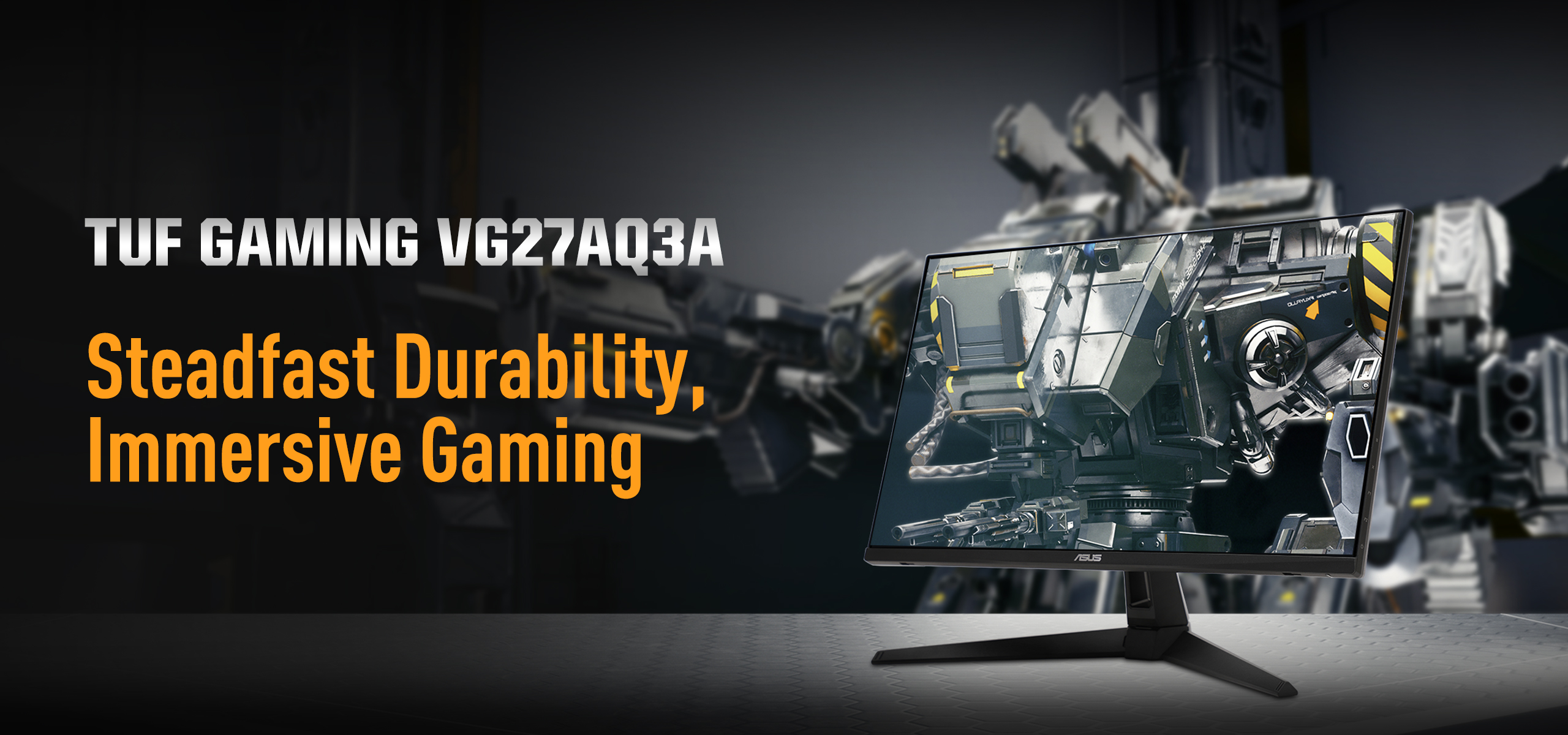
ASUS TUF Gaming VG27AQ3A
Best for: BudgetPros
- The cheapest 180Hz panel here
- 130% sRGB color coverage
- ELMB Sync for clearer motion
- Built-in 2W speakers and a 3-year warranty
Cons
- Stand has no height adjustment or pivot
- 250 nits typical brightness
- HDR10 support is not real HDR
Price as of Oct 19, 2026 — see current price on Amazon.
Samsung Odyssey G5 G50F: Best Stand Under $200
Same panel class as the ASUS, plus a real stand, for $199.99. Abt's spec sheet for the LS27FG502ENXZA lists 105mm of height travel, tilt from -3 to 25 degrees, 45 degrees of swivel each way and a 92-degree pivot. That's the difference between "fine" and "set it exactly where your neck wants it."
The panel itself is a 180Hz Fast IPS screen with 1ms GtG, 300 nits and HDR10 support, with no VESA DisplayHDR badge. Inputs are thin, with one HDMI port and one DisplayPort, and there are no speakers.
If you'd rather not buy an arm, the extra $20.99 over the ASUS buys the stand.

Samsung Odyssey G5 G50F
Best for: Stand under $200Pros
- Height, tilt, swivel and pivot adjustment
- 180Hz Fast IPS with 1ms GtG
- 300 nits, a little brighter than the ASUS
- G-Sync Compatible and FreeSync
Cons
- Only one HDMI and one DisplayPort
- No speakers
- HDR10 only, no DisplayHDR certification
Price as of Oct 19, 2026 — see current price on Amazon.
LG UltraGear 27GR83Q-B: Best for Competitive Shooters
If you play CS2, Valorant or Overwatch 2 and your frame rate already runs well past 180, this is the IPS screen to get. DisplayNinja's review lists a 240Hz IPS panel, 95% DCI-P3 coverage, a 400-nit peak, two full 48Gbps HDMI 2.1 ports, DisplayPort 1.4 with DSC and a two-port USB 3.0 hub. LG's DisplayHDR 400 badge is the entry tier, so don't buy it for HDR.
DisplayNinja recommends the default Fast overdrive mode at 240Hz, because the Faster setting adds visible overshoot. The stand gives 110mm of height, pivot and tilt, but no swivel.
At $289.90 it's $59.91 cheaper than the MSI OLED. So why isn't it the top pick? Because the OLED matches its 240Hz and wins on contrast and pixel response. Pick the LG over the MSI if your room is bright or you leave static windows on screen all day.
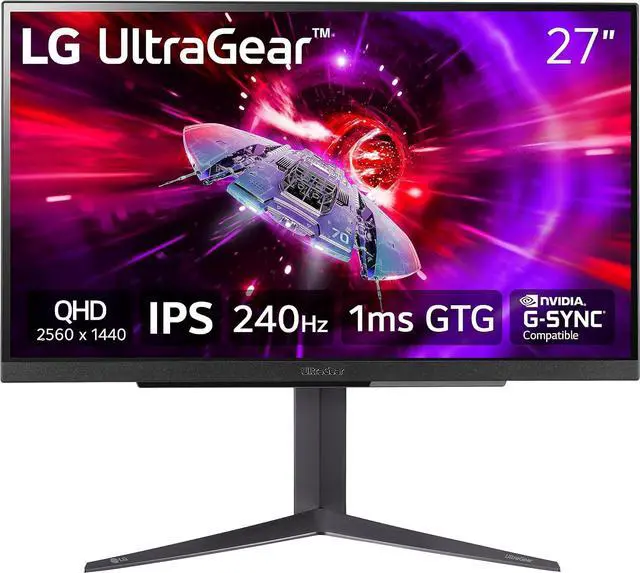
LG UltraGear 27GR83Q-B
Best for: CompetitivePros
- 240Hz IPS panel with 1ms GtG
- Two 48Gbps HDMI 2.1 ports and DisplayPort 1.4 with DSC
- 95% DCI-P3 coverage and 400-nit peak
- USB 3.0 hub built in
Cons
- No swivel on the stand
- IPS glow and ordinary contrast
- DisplayHDR 400 is entry-level HDR
Price as of Oct 19, 2026 — see current price on Amazon.
AOC Q27G3XMN: Best HDR on an LCD
This is the one for dark-room single-player gaming if OLED's burn-in risk or dim desktop bothers you. DisplayNinja's review lists a 336-zone Mini-LED backlight, VESA DisplayHDR 1000, roughly 1,300 nits in HDR and 4000:1 native contrast from the VA panel. That native contrast keeps blooming under control better than IPS Mini-LED screens with more zones.
The VA panel is the catch. DisplayNinja calls the ghosting "noticeable but tolerable," and suggests Strong overdrive at a fixed 180Hz or Medium with VRR. Blooming still shows around a white cursor on a black desktop, and DisplayNinja says HDMI 2.0 tops out at 144Hz, so use DisplayPort for full refresh. The stand is fully adjustable: 130mm of height, 30 degrees of swivel and a 90-degree pivot.
At $276.64, it costs $73.35 less than the MSI OLED.
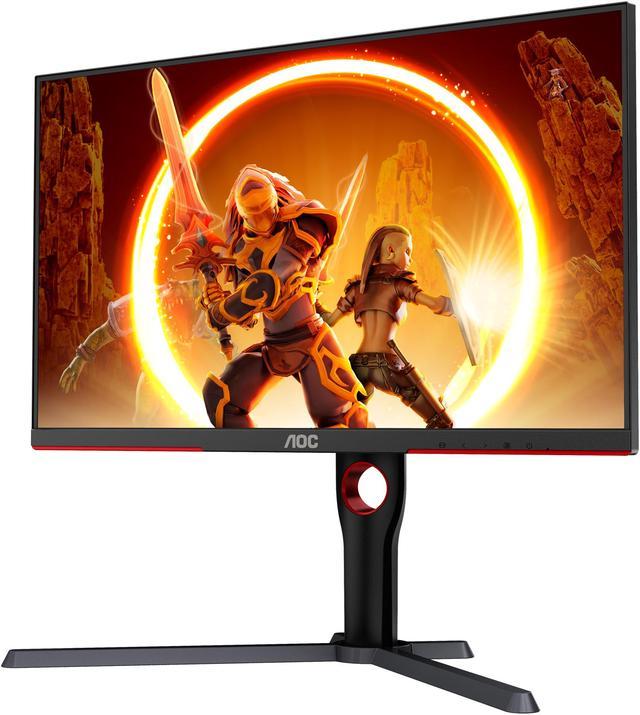
AOC Q27G3XMN
Best for: LCD HDRPros
- 336-zone Mini-LED with DisplayHDR 1000
- About 1,300 nits HDR peak and 4000:1 native contrast
- Full stand: height, swivel, tilt and pivot
- Much brighter than OLED on the desktop
Cons
- VA ghosting in dark, fast scenes
- Blooming around small bright objects
- Full refresh needs DisplayPort
Price as of Oct 19, 2026 — see current price on Amazon.
The One to Skip: LG UltraGear 27GP850-B
The 27GP850-B was the default answer in this category for years, and its Nano IPS panel is still good. At $339.99, though, it's the worst value here. It costs $50.09 more than the LG 27GR83Q-B, which has 240Hz instead of 165Hz (180Hz overclocked) and HDMI 2.1 instead of HDMI 2.0, and it costs about the same as the MSI OLED. Buy the 27GR83Q-B or the MSI instead.
Buying Guide: What Actually Matters in a 27-Inch 1440p Monitor
180Hz vs. 240Hz: Your GPU Decides
A 240Hz panel only helps if your PC can push frame rates past 180. In demanding games, most mid-range cards can't. GamersNexus measured the RTX 5060 at 55 fps in Cyberpunk 2077 at 1440p Ultra, 52 fps in Starfield and 91 fps in Resident Evil 4. None of those comes close to 180, let alone 240.
So for single-player games on an RTX 5060 class card, a 180Hz panel is all you need, and the money is better spent on contrast (the AOC or MSI). Esports titles are lighter, and that's where frame rates climb past 180 and the 240Hz LG or MSI pays off. If you play both kinds, the MSI covers both.
IPS vs. Mini-LED VA vs. QD-OLED
- IPS (ASUS, Samsung, LG): fast, accurate, bright enough for any room. Contrast sits around 1000:1, so blacks look gray in a dark room.
- Mini-LED VA (AOC): the brightest HDR you can get on an LCD at this price, with high native contrast. VA panels still smear in dark, fast scenes, and local dimming blooms around small highlights.
- QD-OLED (MSI): perfect blacks and near-instant pixel response. The tradeoffs are low full-screen brightness and burn-in risk with static content.
HDR Certification Levels
VESA's DisplayHDR 400 badge (the LG 27GR83Q-B) means the screen gets a bit brighter than SDR and that's about it. HDR10 support (ASUS, Samsung) only means the monitor accepts the signal. DisplayHDR 1000 with local dimming (the AOC) is where HDR starts to look like HDR on an LCD. OLED screens are judged differently: the MSI's 400-nit HDR peak sounds low, but each pixel switches off completely, so contrast is effectively unlimited.
Stand, KVM and Inputs
Check the stand before you check the panel. The ASUS has no height adjustment, so budget for an arm if your desk is low. The Samsung, LG, MSI and AOC all raise and lower.
None of these five has a built-in KVM switch. If you share one screen between a work laptop and a gaming PC, the MSI's USB-C input is the closest thing: one cable carries the laptop's video and 15W of charge.
For consoles, HDMI 2.1 (the LG and the MSI) handles 1440p at 120Hz cleanly on a PS5 or Xbox Series X. The HDMI 2.0 ports on the ASUS and Samsung also reach 1440p 120Hz, the consoles' practical ceiling at this resolution.
G-Sync vs. FreeSync
All five work with adaptive sync on both NVIDIA and AMD cards. DisplayNinja notes the AOC isn't on NVIDIA's official G-Sync Compatible list, though VRR still works on GeForce cards. Don't pay extra for a dedicated G-Sync module at this size and price.
Frequently asked questions
- Is a QD-OLED monitor worth it over IPS for gaming?
- Yes, if you game in a dim room and don't leave static windows up for hours. The MSI MAG 272QP QD-OLED X24 gives you per-pixel contrast and 0.03ms response at 240Hz. In a bright room, an IPS screen like the LG UltraGear 27GR83Q-B is the safer buy.
- Do I need 240Hz at 1440p?
- Only for competitive shooters where your frame rate already runs past 180. GamersNexus measured the RTX 5060 at 55 fps in Cyberpunk 2077 at 1440p Ultra, so a 180Hz screen like the ASUS TUF Gaming VG27AQ3A is plenty for most single-player gaming.
- What is the cheapest good 27-inch 1440p gaming monitor?
- The ASUS TUF Gaming VG27AQ3A at $179.00. It has a 180Hz Fast IPS panel and 130% sRGB coverage. Its stand has no height adjustment, so the Samsung Odyssey G5 G50F at $199.99 is the better buy if you won't use an arm.
- Which of these monitors has real HDR?
- The AOC Q27G3XMN, with 336 Mini-LED dimming zones and DisplayHDR 1000. The MSI OLED also does convincing HDR in a dark room thanks to its per-pixel contrast. The IPS models only carry HDR10 or DisplayHDR 400, which won't change much.
- Will these monitors work with a PS5 or Xbox Series X?
- Yes, all five display 1440p at 120Hz from a console. The LG UltraGear 27GR83Q-B and MSI MAG 272QP QD-OLED X24 have HDMI 2.1 ports, and the others reach 120Hz over HDMI 2.0.
Bottom Line
Buy the MSI MAG 272QP QD-OLED X24. At $349.99 it's the best-looking and fastest-responding screen here, and it matches the LG's 240Hz. If your budget is closer to $180, the ASUS TUF Gaming VG27AQ3A at $179.00 is the honest budget pick. And skip the LG 27GP850-B at $339.99, because LG's own 27GR83Q-B is faster and cheaper.
How We Pick
We pick products by combining spec-level research, price checks, trusted third-party benchmarks, and owner sentiment from high-signal sources.
- Performance and real-world value in the category this guide targets
- Price-to-performance and deal consistency over recent pricing windows
- Build quality, reliability patterns, and known long-term issues
- Recommendation refresh cadence to keep these picks current
Author
TheTechSearch Editorial Team
Independent product reviewers & PC builders
We compare real-world specs, reviews and owner reports, price trends, and user feedback to recommend gear that actually makes sense to buy.