Best 49-Inch Ultrawide Monitors for Gaming 2026
The Samsung Odyssey OLED G9 G93SC is the 49-inch 5120x1440 ultrawide to buy for gaming, with the 144Hz G91SD as the QD-OLED alternative for RTX 5060 Ti and R...
As an Amazon Associate we earn from qualifying purchases made through our links — this doesn't affect our picks.
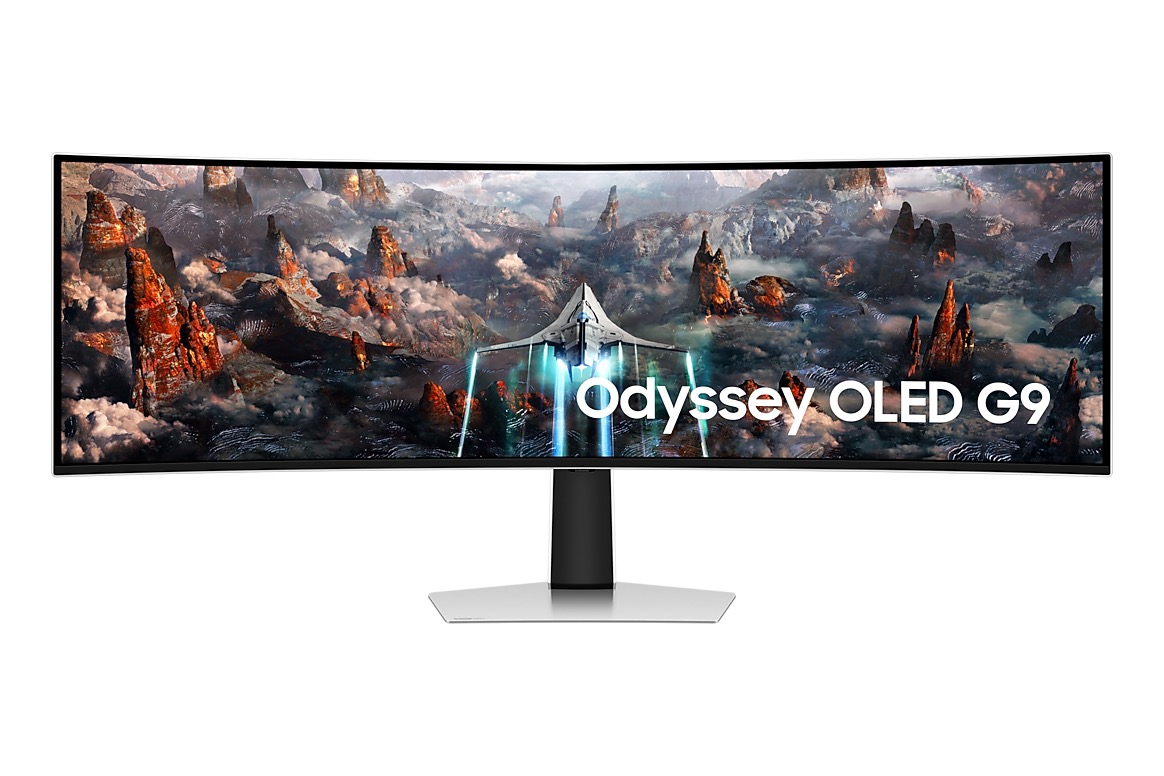
Samsung 49-inch Odyssey G93SC QD-OLED 240Hz Curved Gaming Monitor
Our top recommendation for this category
Price as of Oct 17, 2026 — see current price on Amazon.
The Samsung Odyssey OLED G9 G93SC is the 49-inch ultrawide to buy. Its QD-OLED panel runs 5120x1440 at 240Hz with true blacks and a 0.03ms response time. The Samsung Odyssey OLED G9 G91SD is the alternative: the same QD-OLED picture at 144Hz, a better match for RTX 5060 Ti and RTX 5070-class GPUs, on an ergonomic stand with height, tilt and swivel. Right now these are the only ones we'd recommend that are in stock.
A 49-inch ultrawide is not a subtle purchase. The thing replaces two 27-inch monitors on your desk, wraps around your peripheral vision, and makes every game feel like you're sitting inside it. In mid-2026 the market looks completely different from two years ago.
The catch, as always: you need a GPU that can actually drive 5120x1440. At 240Hz without upscaling, you're looking at an RTX 5070 or better. With DLSS 4 Quality mode, an RTX 5060 Ti handles it in most titles. And at 144Hz with DLSS 4, even the RTX 5060 does well. Match your panel's refresh rate to what your GPU can realistically push.
| Monitor | Panel | Refresh Rate | Best For | |
|---|---|---|---|---|
| Samsung Odyssey G93SC | QD-OLED 5120x1440 | 240Hz | Best Overall | Check Price |
| Samsung Odyssey OLED G9 G91SD | QD-OLED 5120x1440 | 144Hz | Runner-Up | Check Price |
Samsung Odyssey OLED G9 G93SC: Best Overall
Samsung 49-inch Odyssey G93SC QD-OLED 240Hz Curved Gaming Monitor
Pros
- QD-OLED panel delivers perfect blacks and 0.03ms response time at 240Hz
- 5120x1440 DQHD resolution with 1800R curve creates genuine dual-monitor replacement
- G-Sync Compatible and FreeSync Premium Pro, works with any GPU
- 3-year burn-in warranty included, which matters on a panel this size
Cons
- Heavy at 16.9 lbs, requires a sturdy desk or a beefy monitor arm rated for the weight
- ABL kicks in on full-white screens, normal for OLED, but noticeable when editing documents
- 240Hz at 5120x1440 without upscaling needs a serious GPU (RTX 5070 or better)
Price as of Oct 17, 2026 — see current price on Amazon.
Samsung has since added G91SD and G95SD variants to the lineup, but the G93SC panel itself is still one of the best QD-OLED options you can buy.
What you're getting is Samsung's QD-OLED technology on a massive 1800R curved screen. The 240Hz refresh rate with 0.03ms GTG response means motion clarity is indistinguishable from the best 240Hz IPS monitors, but you also get true blacks that IPS can't touch. HDR in games like Cyberpunk 2077 and Black Myth: Wukong looks legitimately different on this panel. The contrast between bright explosions and dark backgrounds is striking in a way that even great IPS monitors don't quite deliver.
The 5120x1440 resolution is equivalent to two 2560x1440 monitors placed side by side. Most racing games, flight sims, and open-world RPGs support the 32:9 aspect ratio natively. Competitive shooters are more complicated, many only support 21:9 ultrawide, which renders as a pillarboxed 3440x1440 area in the center. You'll want to check compatibility for your specific games.
G-Sync Compatible plus FreeSync Premium Pro means variable refresh rate works on both AMD and NVIDIA setups. Samsung also includes a 3-year warranty that explicitly covers OLED burn-in, which is genuinely rare on a monitor this size.
If your GPU can push past 144fps at 5120x1440, the G93SC is what I'd buy.
Samsung Odyssey OLED G9 G91SD: Runner-Up
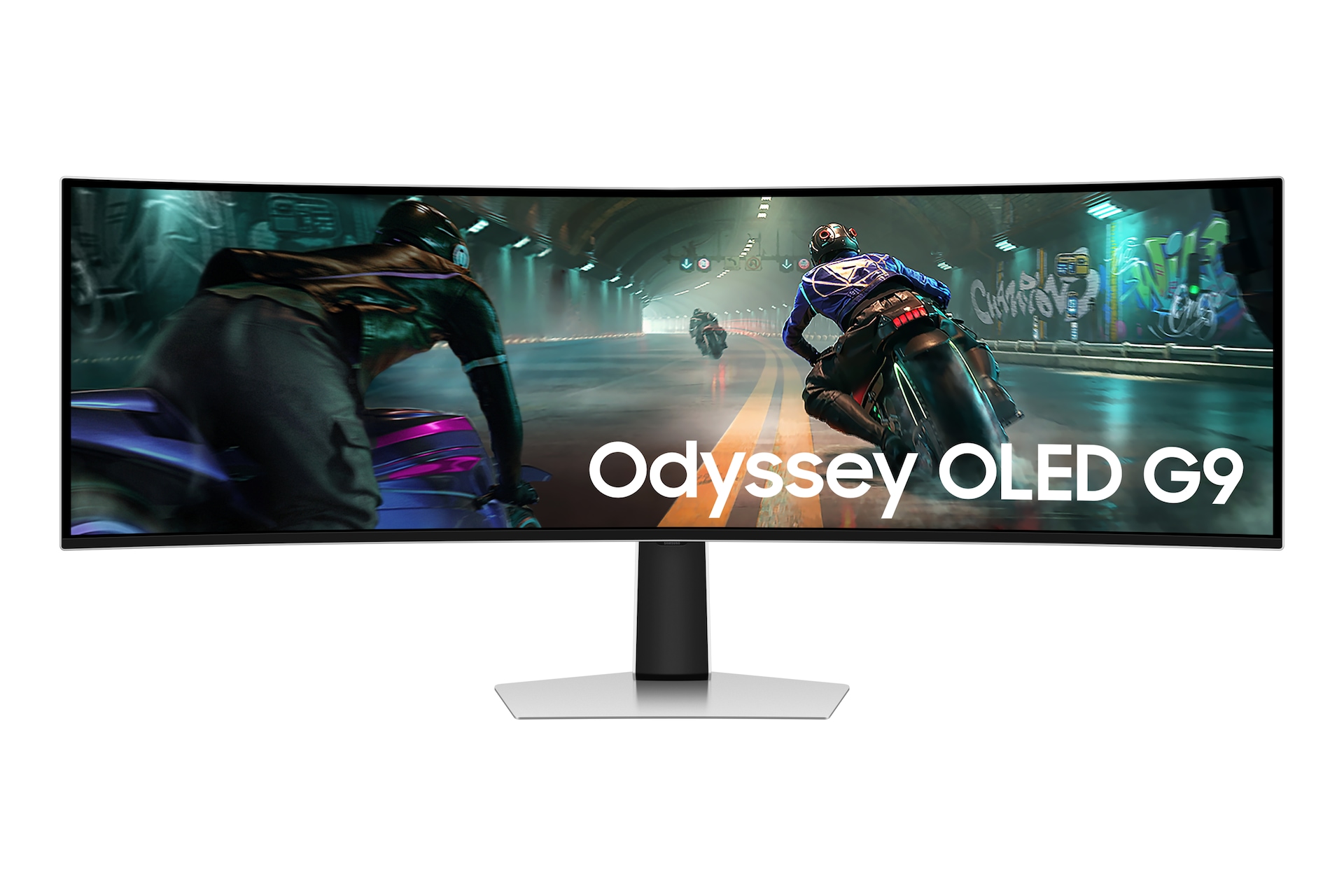
Samsung 49-inch Odyssey OLED G9 G91SD QD-OLED 144Hz Curved Gaming Monitor
Pros
- 144Hz is perfect for RTX 5060 Ti and RTX 5070-class GPUs with DLSS 4
- Ergonomic stand with height, tilt, and swivel adjustment
- 3-year burn-in warranty from Samsung, same coverage as the G93SC
- Same 5120x1440 1800R curved panel, just with a lower native refresh rate
Cons
- 144Hz refresh, versus 240Hz on the G93SC
- 144Hz feels limiting if you later upgrade to an RTX 5080 or 5090
- No built-in speakers or USB-C charging
Price as of Oct 17, 2026 — see current price on Amazon.
The G91SD delivers the same fundamental visual experience as the G93SC: true blacks, 0.03ms response, the same 1800R curve on a 5120x1440 panel. The difference is you're capped at 144Hz native, versus 240Hz on the G93SC.
For most people, 144Hz is fine. At 5120x1440 with DLSS 4 Quality mode, an RTX 5060 Ti runs most AAA titles at 90-120fps, which lands right in the G91SD's sweet spot. You're not leaving performance on the table. The G93SC at 240Hz starts pulling ahead when you pair it with an RTX 5070 Ti or 5080 and enable DLSS 4 Performance mode in competitive titles.
Samsung's ergonomic stand is solid, height, tilt, and swivel are all present, which isn't guaranteed at this size. The 3-year burn-in warranty is the same as the G93SC, which matters for confidence in a panel this size.
Honest take: if you expect to upgrade your GPU, the G93SC's 240Hz leaves room to grow. The G91SD makes sense if you run an RTX 5060 Ti or RTX 5070-class card and want the adjustable stand.
If you want more options
These guides cover the closest alternatives:
- Best 34-Inch Ultrawide Gaming Monitors covers 3440x1440 ultrawides, which are easier on your GPU and your desk.
- Best OLED Monitors covers 27-inch to 34-inch OLED panels if you want the OLED picture at a smaller size.
Buying Guide: What to Know Before You Buy a 49-Inch Monitor
GPU Requirements for 5120x1440
This is where most people get surprised. 5120x1440 is 7.4 million pixels, about 67% more demanding than 2560x1440 and 25% more demanding than 4K. Here's roughly what you need:
At 240Hz: RTX 5080 or better without upscaling. RTX 5070 Ti with DLSS 4 Quality in most AAA titles. An RTX 5070 will struggle at native 240Hz in demanding games.
At 144Hz: RTX 5070 handles it well without upscaling. RTX 5060 Ti with DLSS 4 Quality mode will push 100-140fps in most games.
At 60-100Hz: Almost any modern GPU works fine. The RTX 5060 or RX 9060 XT handles 5120x1440 at 60-80fps in demanding titles without upscaling.
OLED vs IPS at This Size
The argument for OLED is stronger at 49 inches than at any other monitor size. The sheer surface area means the contrast difference between OLED's true blacks and IPS's grey-blacks is magnified. If you game in a darkened room, the difference is significant.
The argument for IPS is also stronger here: 49 inches of static desktop UI (taskbar, browser, Slack) is exactly the scenario OLED burn-in protection systems are designed to fight against. OLED manufacturers have gotten much better at this, and 3-year burn-in warranties are now standard. But if you're genuinely worried about it, IPS is the worry-free choice.
144Hz vs 240Hz at 5120x1440
At this resolution, 144Hz is the more practical choice for most current GPU tiers. The RTX 5060 Ti handles 5120x1440 at 144Hz comfortably with DLSS 4 Quality, and that's the GPU most people are actually buying in 2026. The jump from 144Hz to 240Hz is only meaningful if your GPU can consistently push 180fps or higher at this resolution, which requires a much more expensive card.
Buy 144Hz if you own an RTX 5060 Ti, 5070, or equivalent. Buy 240Hz if you own an RTX 5070 Ti, 5080, 5090, or plan to upgrade within the monitor's lifespan.
Desk Space and Mounting
A 49-inch monitor at 1800R curvature is 1,195mm (47 inches) wide. That's nearly four feet of monitor. Most desks handle it fine, but be honest about your actual desk depth. The curved design pulls the center of the screen closer to you, which helps, but the ends of the screen still sit at desk depth.
Monitor arms for 49-inch panels exist, but they need to be rated for the weight. Most of these monitors weigh 14-17 lbs without the stand. VESA mounting is standard (100x100), but arm payload ratings vary significantly, a cheap arm rated for 8 lbs won't hold a 16 lb monitor.
Aspect Ratio Compatibility in Games
5120x1440 is a 32:9 aspect ratio. Game compatibility falls into three categories:
Full 32:9 support: Racing games (Forza, Gran Turismo), flight sims (MSFS 2024), open-world RPGs (Elden Ring, Cyberpunk 2077 with mods), and strategy games generally look great.
21:9 support only: Many competitive shooters and some older games only output at 21:9 (3440x1440). The game will render with black bars on the sides, or stretch to fill the panel depending on settings.
No ultrawide support: Some games enforce 16:9 only. Rare in 2026, but check your specific library before buying.
Frequently asked questions
- Can I use a 49-inch ultrawide with a PS5 or Xbox Series X?
- Partially. Consoles don't output 5120x1440, so console games show centered with black bars on the sides. A small number of PS5 games support 21:9 supersampling in their ultrawide modes. The Xbox Series X handles ultrawide better in supported games. Both monitors on this list use DisplayPort for high refresh rate, limiting console connectivity.
- Is OLED burn-in actually a concern on a 49-inch monitor?
- It is a real thing but modern OLED protection systems handle it well. Both OLED monitors on this list include automatic pixel refresh cycles, static element detection, and 3-year burn-in warranties from Samsung. Realistically, if you game for 6-8 hours per day with varied content and dark-mode your desktop, burn-in on a current-gen QD-OLED panel takes years to develop under normal use. The bigger concern is the ABL (automatic brightness limiter) on full-white screens, which is an active brightness adjustment, not burn-in.
- Do I need a special cable for 5120x1440 at 240Hz?
- Yes. You need a DisplayPort 1.4 cable with DSC (Display Stream Compression) support for 240Hz at 5120x1440. All monitors on this list support DP 1.4 DSC. Most DisplayPort 1.4 cables are DSC-compatible, but buy a cable rated for it explicitly to avoid weird refresh rate lockouts. HDMI 2.1 can push 5120x1440 at lower refresh rates (up to around 100Hz depending on the monitor) but DisplayPort is the right cable for high-refresh superultrawide.
- What is the minimum GPU for gaming at 5120x1440?
- For 60fps at 5120x1440 in demanding AAA games without upscaling, an RTX 4070 or RX 7800 XT is the floor. With DLSS 4 or FSR 3.1, an RTX 5060 Ti handles 144Hz in most titles at Quality mode settings. For 240Hz native, you realistically need an RTX 5070 Ti or better in demanding games. The integrated graphics on any current CPU will not drive this resolution at playable frame rates.
- How does a 49-inch ultrawide compare to dual 27-inch monitors?
- 5120x1440 at 49 inches is mathematically identical to two 2560x1440 27-inch monitors placed side by side. The key differences: a single ultrawide has no bezel running down the center, which is a huge advantage for gaming and single-application work. Dual monitors are better for comparing two separate windows at maximum size simultaneously. Cable management is simpler with one monitor. The tradeoff is that some apps and games aren't optimized for the 32:9 ratio, while dual 16:9 monitors work with everything.
- Which 49-inch monitor is best for both gaming and work from home?
- None of the picks here has a built-in KVM switch or USB-C laptop charging, so pair any of them with a separate KVM switch if you run a work laptop and a gaming PC on one desk. The Samsung G93SC is the best all-rounder. Both picks are OLED, so if your work day means hours of white documents and spreadsheets, use a dark theme where you can and expect the brightness limiter to dim full-white screens.
Bottom Line
The 49-inch ultrawide market is at its most accessible point ever. Samsung's Odyssey OLED G9 G93SC is the pick for most buyers, with QD-OLED quality at 240Hz. The G91SD gives you the same QD-OLED picture at 144Hz, the better fit for an RTX 5060 Ti or RTX 5070-class GPU.
Whatever you buy, make sure your desk can hold it and your GPU can drive it. At this size, both matter more than on a standard 27-inch setup.
How We Pick
We pick products by combining spec-level research, price checks, trusted third-party benchmarks, and owner sentiment from high-signal sources.
- Performance and real-world value in the category this guide targets
- Price-to-performance and deal consistency over recent pricing windows
- Build quality, reliability patterns, and known long-term issues
- Recommendation refresh cadence to keep these picks current
Author
TheTechSearch Editorial Team
Independent product reviewers & PC builders
We compare real-world specs, reviews and owner reports, price trends, and user feedback to recommend gear that actually makes sense to buy.